
Download iPod Folders Icons – iPod, folder icons, desktop icons, Windows, design, aesthetic, utility, free download, icon pack, desktop enhancement
Overview
The iPod Folders Icons are a specialized utility designed for Windows users seeking to personalize their desktop environment with a nostalgic and visually cohesive touch. Created by Dirceu Veiga, this icon pack transforms standard folder icons into a distinctive representation of the iconic iPod device, blending functionality with aesthetic appeal. The primary purpose of the app is to enhance desktop organization and visual identity by replacing default folder icons with a custom design that reflects a user’s affinity for Apple’s legendary music player.
These icons are particularly beneficial for users who maintain a dedicated folder for iPod-related media, such as music, videos, or backups. By using a consistent visual theme, the app reduces cognitive load during file navigation, allowing users to locate relevant files more efficiently. The target audience includes desktop enthusiasts, Apple fans, and individuals who value a curated digital workspace. Although the developer did not provide additional technical details, the design quality suggests a focus on precision and visual harmony.
Within the broader ecosystem of desktop customization tools, iPod Folders Icons stand out as a niche but meaningful utility. While not a productivity app in the traditional sense, it contributes to user satisfaction by improving the emotional and visual experience of working on a computer. Its release in 2011 reflects a time when desktop personalization was a popular trend, and it remains relevant for users who appreciate retro design elements and digital nostalgia.
Key Features & Functionality
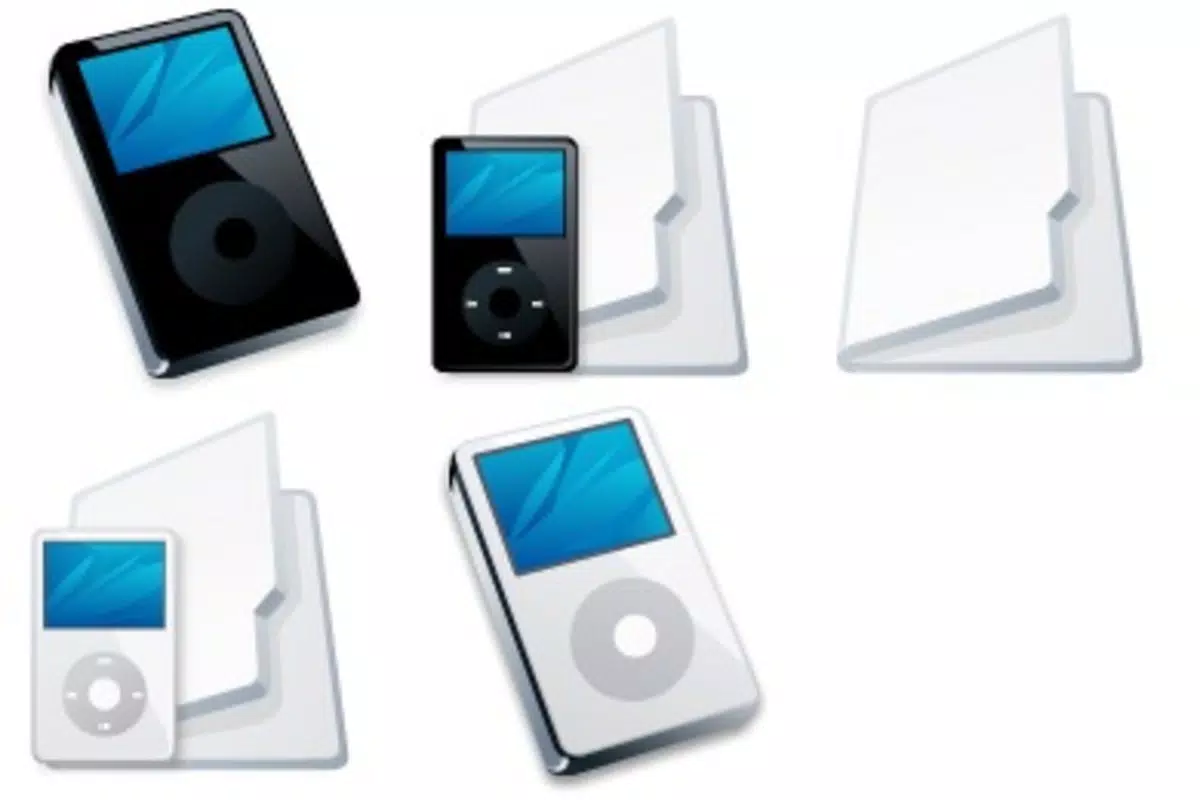
- Eye-Catching Design: The icon pack features a white folder with a stylized iPod silhouette, creating a unique visual identity that stands out among default folder icons. This design choice enhances immediate recognition and adds a touch of personality to the desktop.
- Desktop Aesthetic Improvement: By replacing generic folder icons with a cohesive and stylish theme, the pack elevates the overall visual appeal of the desktop environment, contributing to a more organized and professional look.
- Quick Folder Recognition: Users can instantly identify iPod-related folders without relying on text labels, streamlining file access and reducing time spent searching through directories.
- User-Friendly Installation: The setup process is straightforward—download the icon pack and apply it through standard Windows folder customization tools. No technical expertise is required, making it accessible to users of all experience levels.
- Professional Design by Dirceu Veiga: The creator’s attention to detail ensures high-quality rendering and consistency across all icons, reflecting a commitment to craftsmanship and visual excellence.
For example, a user managing a large music library might use these icons to group all iPod-synced playlists, making it easier to distinguish them from other folders. Similarly, a digital archivist preserving vintage Apple content could use this pack to maintain thematic consistency across their files. The practical benefits are subtle but meaningful, especially for users who prioritize both form and function in their digital workspace.
Interface, UX & Performance
The iPod Folders Icons do not feature a traditional user interface, as they are a static icon pack rather than an interactive application. Instead, the user experience is defined by the ease of integration into the Windows operating system. The visual style is minimalist and consistent, with a clean white folder base and a well-proportioned iPod graphic that maintains clarity at various sizes.
Navigating the icon pack involves downloading the file and applying it through Windows’ folder icon customization settings. The process is intuitive and requires no additional software. Although the developer did not list formal performance metrics, the small file size of 1.2 MB suggests minimal system impact. The icons are likely optimized for standard desktop resolutions and should render smoothly on most Windows devices.
Responsiveness is not a concern since the icons are static assets. Stability is expected to be high, as there are no runtime processes or background services involved. Users should experience no crashes or lag during application. However, compatibility may vary depending on the Windows version and theme settings, as some systems may override custom icons under certain configurations.
Platform Compatibility & Technical Requirements
The iPod Folders Icons are designed exclusively for the Windows platform. The app is compatible with Windows operating systems, though specific version requirements were not listed by the developer. The file size is 1.2 MB, which is minimal and suitable for quick downloads and storage.
Since no detailed technical specifications were provided, it is not possible to confirm compatibility with older or newer Windows versions. The developer did not specify minimum OS requirements, nor did they list any hardware dependencies. Users should ensure their system supports custom folder icon changes, which is standard on most modern Windows installations.
Pros and Cons
Pros
- Free to download and use, making it accessible to all users.
- Simple and intuitive installation process with no complex setup.
- Enhances desktop aesthetics with a cohesive, nostalgic design theme.
- Improves folder recognition through distinctive visual cues.
- Created by a professional designer, ensuring high-quality visuals.
Cons
- Only available for Windows, limiting cross-platform use.
- No interactive features or dynamic elements included.
- Compatibility with specific Windows versions was not disclosed.
- May not work consistently with certain desktop themes or system updates.
- Not suitable for users seeking functional app features beyond visual customization.
FAQ
Is iPod Folders Icons safe to download?
Yes, the icon pack is free from malware and viruses. It is a static file designed for desktop customization and does not include executable code or runtime components.
Can I use these icons on macOS or Linux?
These icons are specifically designed for Windows and may not be compatible with macOS or Linux systems without additional conversion tools.
Do I need to install any software to use the icons?
No, the icon pack is a self-contained file. You can apply it directly through Windows folder properties without installing extra software.
Will the icons work with all Windows versions?
While the pack is designed for Windows, compatibility with specific versions was not provided. It should work on most modern Windows systems but may not function on older or highly customized setups.
How do I update the icon pack if a new version is released?
As of now, no updates have been released. Users should check the original source for future releases, though the developer has not indicated any plans for future updates.
Final Thoughts
The iPod Folders Icons offer a thoughtful blend of nostalgia, design, and practicality for Windows users who value a personalized desktop. Though simple in function, the pack delivers meaningful visual improvements and streamlines file navigation through intuitive iconography. Its lightweight nature and free availability make it an excellent choice for anyone looking to enhance their digital workspace with a touch of retro charm.
While it lacks advanced features or cross-platform support, its purpose is clear and well-executed. The design quality, attributed to Dirceu Veiga, reflects a high standard of craftsmanship that elevates the user experience beyond mere utility. This is not a productivity app in the traditional sense, but it contributes significantly to user satisfaction and digital well-being.
For Apple enthusiasts, retro tech lovers, or desktop purists, this icon pack remains a relevant and appealing tool. It transforms a mundane task—organizing folders—into a visually rewarding experience.
Download iPod Folders Icons now


